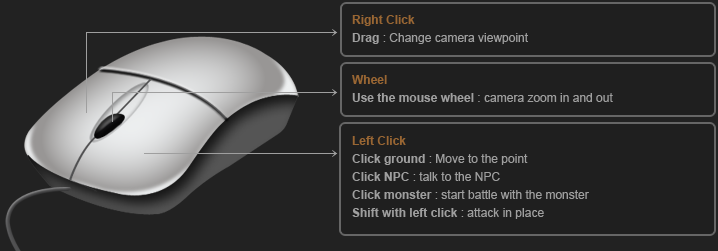
 |
||||||||||||||||||||||||||||||||||||||||||||||||||||||||
|
||||||||||||||||||||||||||||||||||||||||||||||||||||||||
 |
||||||||||||||||||||||||||||||||||||||||||||||||||||||||
| Screenshot | ||||||||||||||||||||||||||||||||||||||||||||||||||||||||
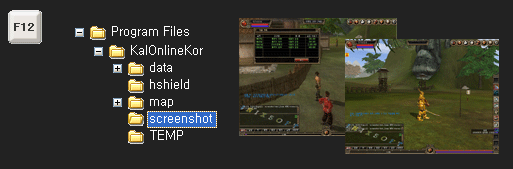
| When you press F12 button during the play, screenshot will be taken and saved in the screenshot folder inside of the KalOnline folder | ||||||||||||||||||||||||||||||||||||||||||||||||||||||||
 |
||||||||||||||||||||||||||||||||||||||||||||||||||||||||
| How to do battle | ||||||||||||||||||||||||||||||||||||||||||||||||||||||||
|
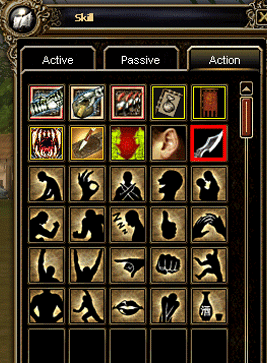
1. 攻击 : click target with left mouse button 2. Aim target : use tab key and aim at the nearest target - Click tab : change target during battle - Click esc : cancel to aim target 3. [攻击] action : use hotkey [ ` ] (located next to 1 on the keyboard) |
||||||||||||||||||||||||||||||||||||||||||||||||||||||||
 |
||||||||||||||||||||||||||||||||||||||||||||||||||||||||
|
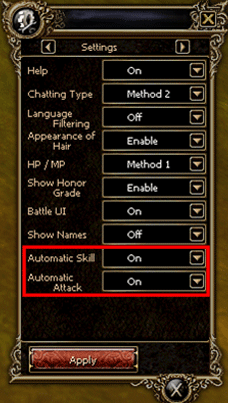
4. Quick slot : press 1-0 number keys to use skill in quick slot 5. Setting - Automatic Skill : use skill with number key without mouse click(on/off) - Automatic 攻击 : change from skill 攻击 to normal 攻击 after exhausting MP(on/off) *NOTE : Magician and Archer can鈥檛 use automatic 攻击. Also, some skills of Kight and Thief aren鈥檛 applied, too. |
||||||||||||||||||||||||||||||||||||||||||||||||||||||||
 |
||||||||||||||||||||||||||||||||||||||||||||||||||||||||
| Command | ||||||||||||||||||||||||||||||||||||||||||||||||||||||||
|
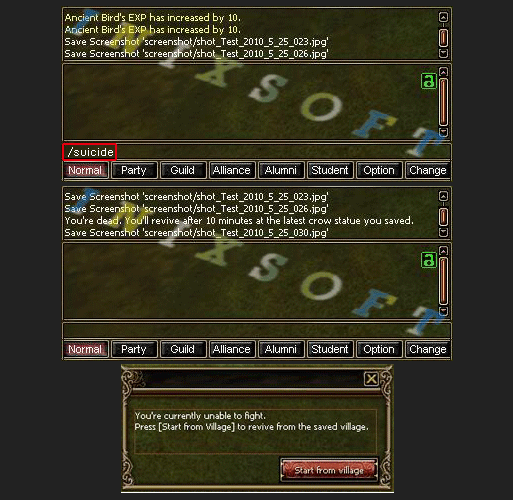
-/suicide: Go back to town by killing oneself, but with a loss of exp. -@whisper[character NAME] [content]: Sending a whisper to another character -/trade [character NAME]: Requesting a trade to another character. This could be supported by the action/moving icon -/coordinates: Identifying a current player鈥檚 coordinate -/party [character NAME]: Requesting a party to another character. This could be supported by the action/moving icon - /refusetrade: Automatically reject all the trade requests. No message of trade permission will be shown - /allowtrade: Cancel the refusal status for trade/Cancel all the trade rejection state - /refuseparty: Automatically reject all the party requests. No message of party permission will be shown - /allowparty: Cancel the refusal status for party/Cancel all the party rejection state -/duel [character NAME]: Requesting a duel (PvP) to another character |
||||||||||||||||||||||||||||||||||||||||||||||||||||||||
 |
||||||||||||||||||||||||||||||||||||||||||||||||||||||||
| Auto navigation | ||||||||||||||||||||||||||||||||||||||||||||||||||||||||
|
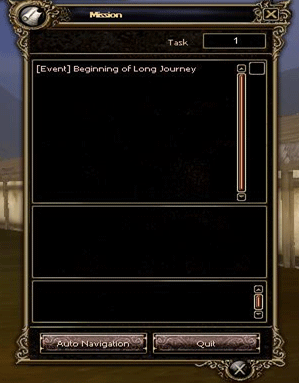
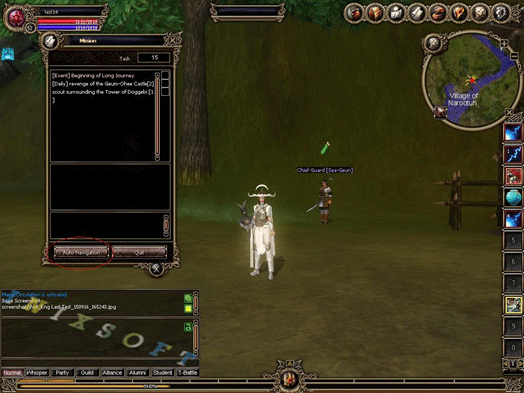
- This function can move to NPC automatically when you achieved a quest. - The button has lower end of left on Quest mission table. - However, you can't use when you accept a quest and play a quest in progress. - If you achieve a quest and click "Auto navigation", you can go to NPC automatically. |
||||||||||||||||||||||||||||||||||||||||||||||||||||||||
 |
||||||||||||||||||||||||||||||||||||||||||||||||||||||||
 |


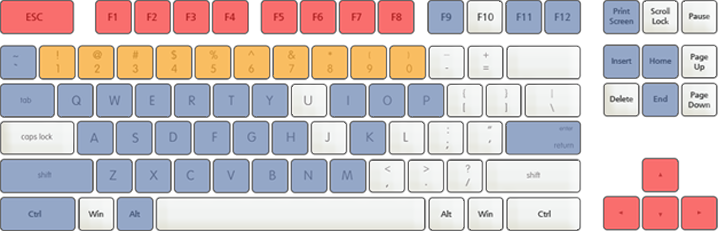
 F1
F1 T
T M
M F2 ~ F12
  1~0
1~0