|
||||||
| Party System | ||||||
| Instruction of Making Party - by Chatting Window | ||||||
|
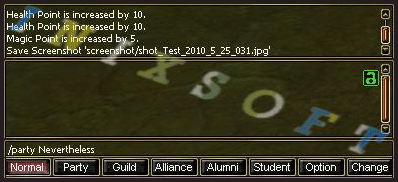
On chatting window, type [/party (companion's NAME)].(ex: /party kalonline) This method can be used without any distance limitation. |
||||||
 |
||||||
| Instruction of Making Party - by Mouse | ||||||
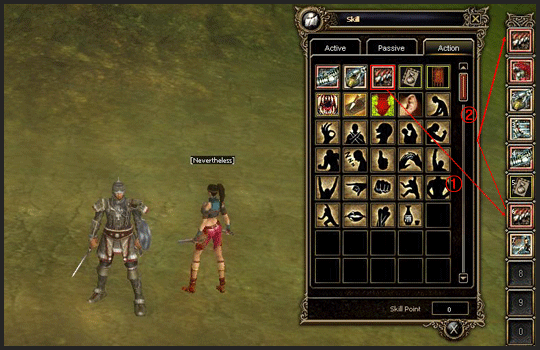
| Register the [party] icon on the quick command slot and push the appropriate number button for being ready to use. | ||||||
 |
||||||
|
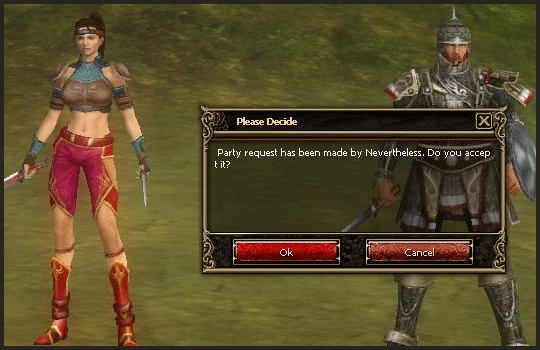
Click the right mouse button for asking party. If the other player allows it, party is made. |
||||||
 |
||||||
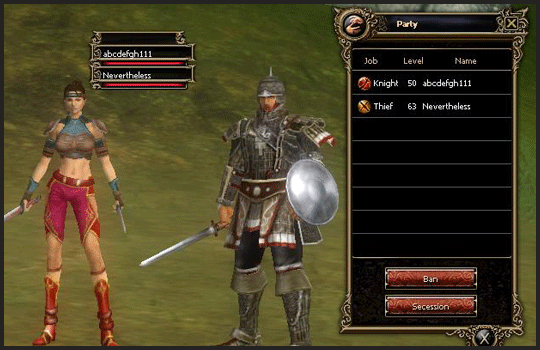
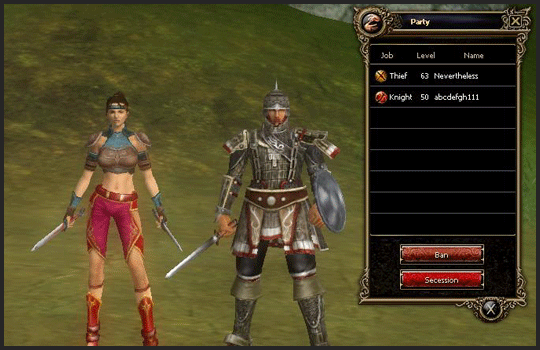
| For confirming party, click party button on the upper right side of the screen of push 'P' button. | ||||||
 |
||||||
| 鈥� Screen of one who get asked for a party | ||||||
 |
||||||
| Seceding from the Party | ||||||
|
On the chatting window, type [/secedeparty] or open the party window and click the secede button. Seceding can be done anytime. |
||||||
 |
||||||
| Shares of Party | ||||||
|
* Parties share EXP. * Parties share item receiving and beheading. * Parties indicate in green on the mini-map. |